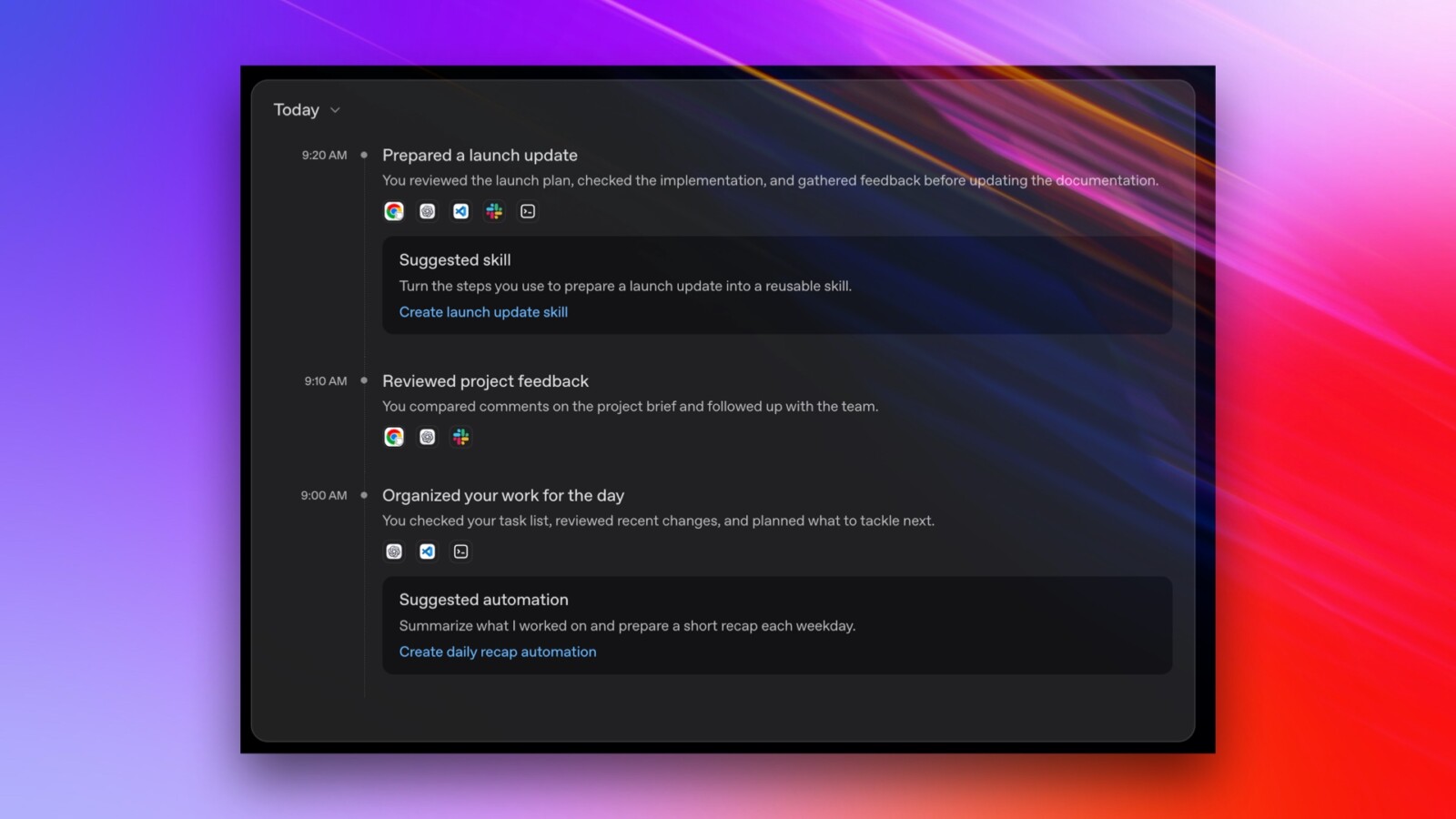
ChatGPT has gained a new capability that allows it to log your activity across websites and applications on a Mac, extending the memory system OpenAI has offered since April 2024. Called Computer History, the opt-in feature builds on the context the chatbot and its Codex coding agents already derive from previous chat activity, essentially following your footsteps to work out where you want to go next.
The feature launched this week on macOS for subscribers to the Pro, Business and Enterprise plans. It is not yet available to users in the European Economic Area, Switzerland or the United Kingdom. For Business and Enterprise plans, administrators can control whether users are able to enable the feature, in addition to the individual user opt-in.
How the tracking works
Beyond choosing to opt in, users can independently select which applications and websites are included, as well as pause tracking. The activity history can be viewed or deleted at will. Unlike Microsoft’s Windows Recall and OpenAI’s earlier Chronicle preview, which Computer History replaces, this implementation does not capture screens, record voice input or use similar forms of monitoring.
Instead, it draws on the accessibility API in macOS to capture what that interface exposes: clicks, typing, keyboard shortcuts, app switches and context. It then periodically synthesises that activity into a summary of what you have done rather than what you saw, heard or said. It can track and show where to find files you looked at, but not the content of those files. If that content is used as part of a future chat, however, Computer History can link your activity to it.
Storage and privacy
The summaries are generated in the cloud but stored locally on the system. OpenAI says it does not retain the activity files unless legally required to do so and does not use them for training. Computer History can also create repeatable tasks from your activity history, such as building a video upload skill based on recent actions.
OpenAI issues an explicit warning in its documentation, noting that Computer History files can contain sensitive information. The files are not encrypted by Computer History, and other programs running under the same macOS user account may be able to access them. The built-in disk encryption on macOS may offer a layer of protection in some cases.
Even where only a series of keyboard events is recorded, the underlying content can potentially be inferred or exploited, placing the feature alongside concerns such as browser fingerprinting and deanonymisation. Computer History creates tokens for summarising and memory creation, meaning the process draws on the token allowance included with a user’s plan.