Magic Capture is the standout reason to consider Google’s Pixel 11 series. This Pixel 11-exclusive Gemini feature uses AI to automatically capture photos while you record a video on your smartphone, ensuring the best moments arrive in picture-perfect HDR+ detail. Rather than trying to strike the right pose, you can stay in the moment while the phone handles the rest.
Crucially, the feature retains the video you captured too, so you end up with a top-notch video recording and effortless photos from every moment. Similar auto-capture tools have appeared from companies such as Honor, but Google’s implementation goes further while remaining impressively simple to use.
What is Magic Capture and how does it work?
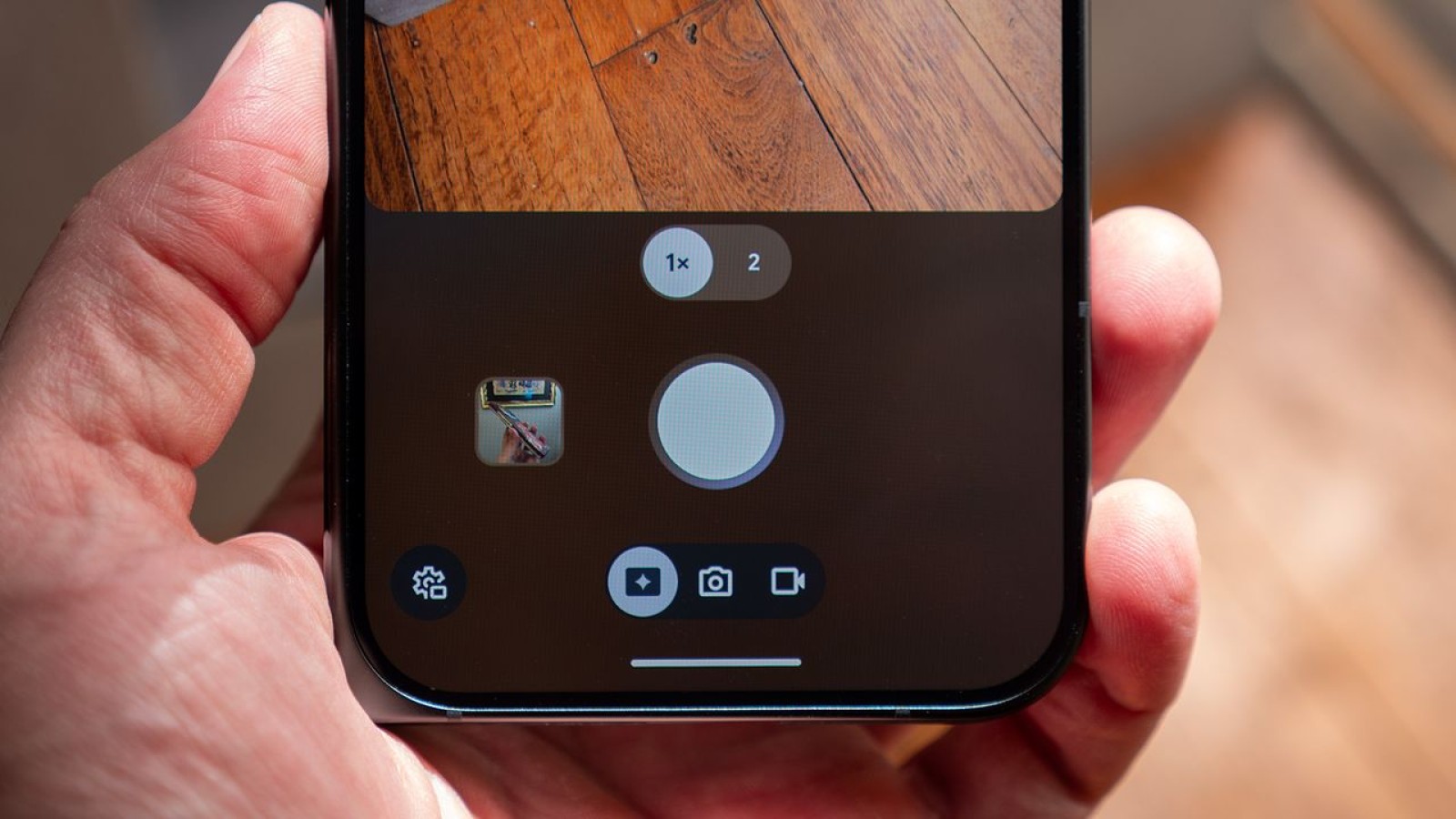
Magic Capture is a new main camera mode on the Google Pixel 11 series, sitting alongside the standard photo and video modes since it effectively combines both. Once you start a recording, you can focus on capturing the moment instead of worrying about getting the perfect shot.
After you press stop, the Pixel 11’s special version of Gemini analyses the video locally, so nothing is sent to the cloud for processing. Gemini primarily captures photos based on expressions, movement, and composition. If someone smiles during a session, for instance, Gemini will create a photo of that moment. Tap the thumbnail in the viewfinder and you can watch this happen in real time.
Gemini selects several moments from the video and saves them as photos, but this is not a simple frame export. During a Magic Capture session, the Pixel 11 captures additional frames of data that are used to build a full HDR+ quality photo, a substantial step up from a basic frame grab. Because Gemini can combine multiple video frames into a single image, moving subjects such as children and pets come out crystal clear.
What are the downsides of Magic Capture?
While the feature is genuinely impressive, it does carry a few trade-offs. Chiefly, you will not get full-resolution video or photos from the captures. That does not mean the results look poor, but it is worth noting that you lose a little quality when using the mode.
In standard video mode, the Pixel 11 records at 4K (3840 x 2160) resolution at 60 FPS. When using Magic Capture, video capture drops to 1080p+ (1440 x 1080) resolution at 30 FPS. Photo capture in the standard photo mode reaches higher resolutions than the frames extracted during a Magic Capture session, so the feature suits everyday moments rather than maximum-detail stills.
Source
Image: androidcentral.com