The Pixel 11 Pro XL introduces a standout feature for photography enthusiasts: the new Camera Looks. These film-inspired styles are available across the entire Pixel 11 series, so they are not restricted to the Pro models. The standard Pixel 11 receives them as well.
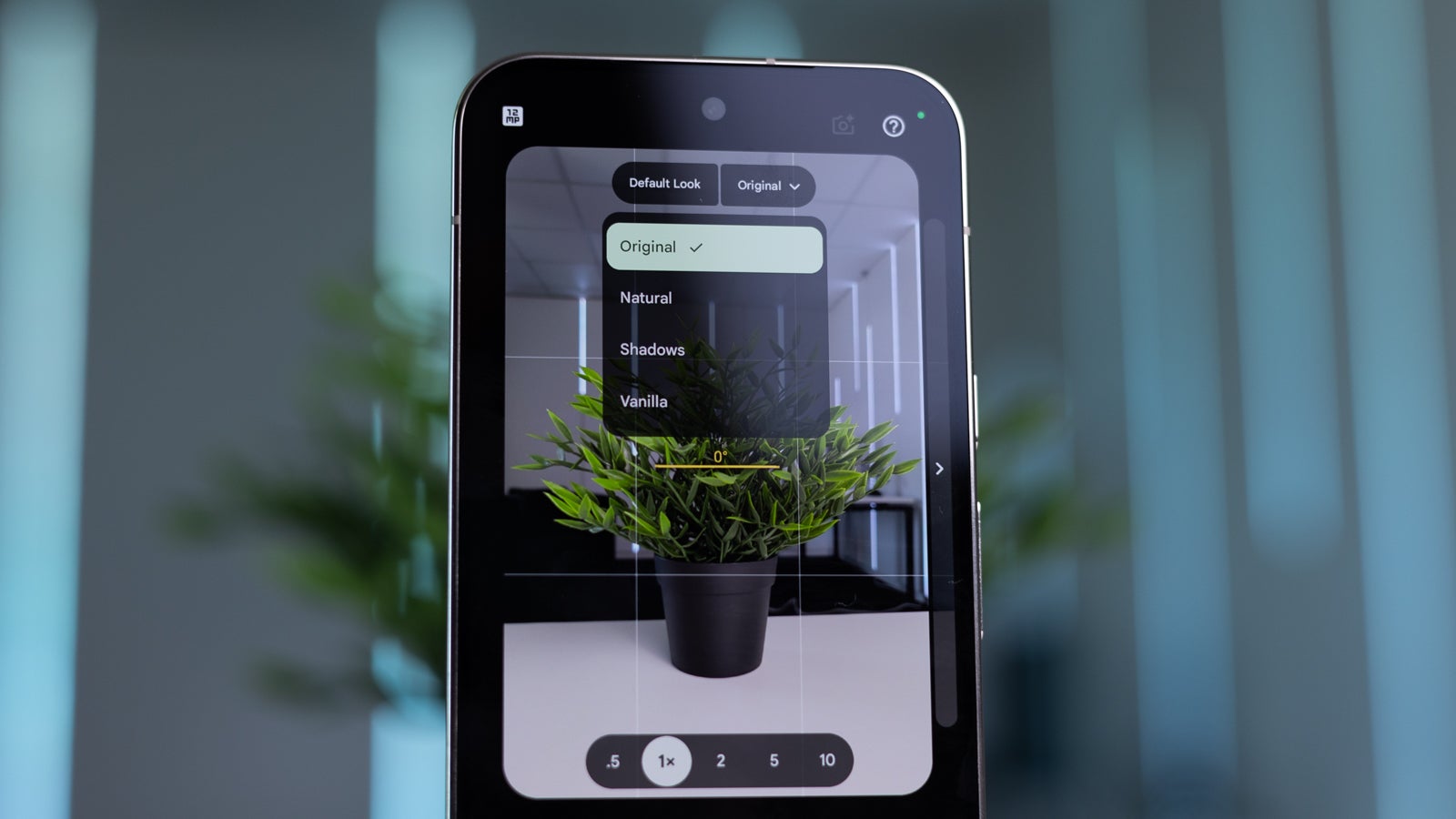
By default, the Pixel 11 captures photos using the familiar processing style seen on previous Pixel phones. To access the alternatives, you tap the settings icon within the camera app and then select Looks. A dropdown menu appears, allowing you to choose between Original, Natural, Shadows and Vanilla. Original is the default, while the others adjust the standard style to varying degrees. Swiping left reveals six new creative styles: Editorial, Velvet, Classic, Digi, Black Tie and Minimal.
The subtle adjustment modes
The Natural mode reduces saturation and delivers more neutral colours that sit closer to reality. Shadows works by reducing the exposure across the entire photo, darkening both the highlights and the shadows within an image. Vanilla takes the opposite approach to Natural, producing more saturated and vibrant colours.
The six creative Camera Looks
Editorial is the first creative look, offering deeper shadows and washed-out blues, though highlights can become blown out easily. Velvet delivers a warmer result with deeper, more saturated blues and reds alongside cooler greens. Classic adds a considerable amount of grain, giving photos a soft style with a nostalgic, yellow-pinkish hue.
Digi emphasises the contrast between highlights and shadows while desaturating most colours. Black Tie is the only black and white option, featuring a bold style with bright exposure and sharp contrasts. Minimal applies very little processing, producing an effect reminiscent of a 1990s camera.
Every one of these Camera Looks is available on all Pixel 11 series models. The Pixel 11 Pro XL features a 6.8-inch display, and can currently be purchased alongside a gift card worth roughly £150 at Amazon.
Source
Image: phonearena.com