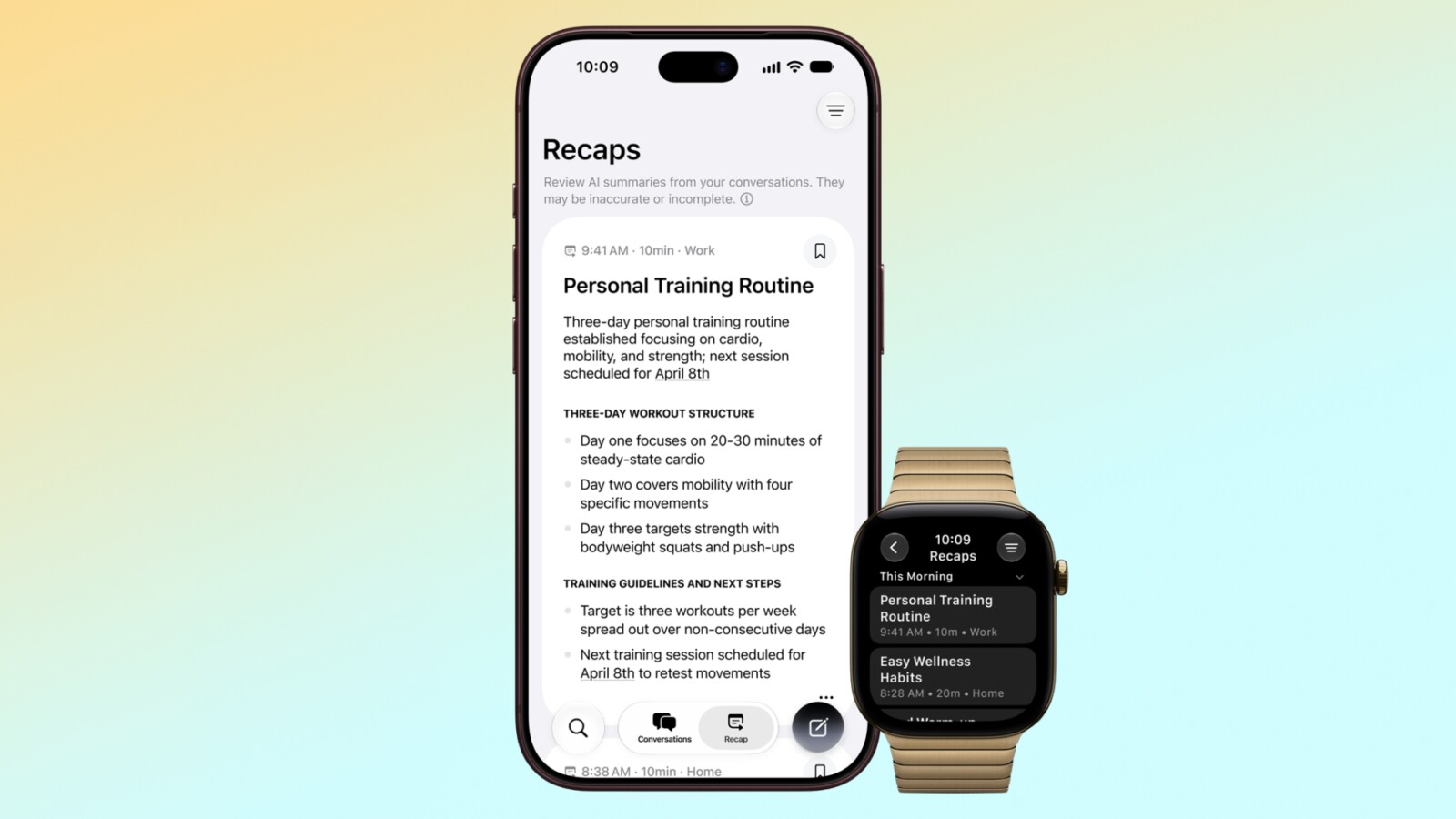
Siri Recap is one of the new Audio Intelligence features arriving on the Apple Watch Series 12 and Ultra 4, and Apple has published a detailed explainer setting out how the tool handles what it hears throughout the day.
Alongside Sound Recognition, Music Recognition and Live Rewind, Siri Recap listens to conversations around the wearer and takes notes. It uses Apple Intelligence to continually generate summaries intended to “jog your memory” on events, so the wearer can remain present in the moment. When these features are active, the new Apple Watch models are always listening to the surrounding environment.
How Siri Recap Protects Privacy
Anticipating concern about a wearable that is always listening, Apple has outlined several safeguards. Siri Recap does not identify or attribute speakers, although names may appear if mentioned aloud. It also omits potentially harmful content and sensitive data, including language promoting self-harm or hateful speech, financial data, government-assigned identifiers, authentication data and certain personal identifiers.
The feature does not produce a full transcript. Instead it creates a summary comparable to notes someone might jot down after a conversation. Apple cautions that these summaries can be incomplete or inaccurate, and that filtering may not remove every piece of sensitive information.
No audio is recorded or stored. Audio is sent to the Secure Exclave on the Apple Watch and iPhone for processing, where it cannot be accessed by the operating system, apps, the user or Apple. Encrypted, condensed text versions of a conversation are then sent to Private Cloud Compute. This text is less than half the length of the original, with tone, filler words and redundancies removed. Apple Foundation Models running on Private Cloud Compute summarise and format the final output, and that data is not accessible to Apple or anyone else.
Controls, Storage and Availability
Siri Recap is opt in rather than opt out. It can be enabled in the Apple Watch app on iPhone and set to listen on a schedule, so a wearer might have it active only at work, or never at night. A quick-access toggle in Control Centre allows it to be switched on and off.
Summaries auto-delete after seven days if not saved to the Siri app. Saved summaries can be deleted at any time across all synced devices and exported to other apps such as Notes. When synced via iCloud, summaries are end-to-end encrypted, so only trusted devices can access them.
Apple advises wearers to be mindful of those nearby, noting that even though audio is not stored and speakers are not attributed, people should consider situations where conversations might be private or sensitive.
Siri Recap requires one of the new Apple Watch models and an iPhone 16 or later, with the exception of the iPhone 16e. The feature is launching later this year.
Source
Image: macrumors.com